
Almost every operations team has a list of things they would love to automate. The list grows during every busy week and shrinks only when someone gets frustrated enough to build something. The result is predictable: the loudest annoyance gets the first automation, regardless of whether it is the most valuable one.
That is how teams end up with an elaborate workflow for a task that happens twice a month, while a daily process that quietly eats ten hours a week stays manual because nobody complained about it. It is also how automation earns a bad reputation inside a company. The first project is slow, fragile and hard to justify, and the second never gets funded.
Choosing the first target well is a skill, and it can be done with a repeatable method rather than instinct. This guide walks through one: how to decide whether a process is ready to automate at all, how to build an inventory of candidates, how to map and measure them with just enough detail, how to score them fairly, how to match each to the right kind of automation and how to run a pilot that proves the result.
If you are earlier in the journey and still deciding which tools to use, see our comparison of Zapier, Make and n8n. If you are weighing building against buying, read build vs. buy for operations software. This article comes before both: it decides what is worth automating.
First, decide whether the process should exist as it is
The most common automation mistake is to take a messy process and make it faster. The mess does not go away. It simply happens at machine speed, and now it is harder to see.
Lean thinking has a useful list for spotting this. The American Society for Quality describes eight wastes, remembered with the acronym DOWNTIME: defects, overproduction, waiting, non-utilized talent, transportation, inventory, motion and extra-processing. It defines waste as "the performance of unnecessary work as a result of errors, poor organization, or communication."
Before you automate a process, run it past that list.
- Defects. Does the process produce errors that need rework? Automation may be better aimed at removing the cause.
- Waiting. Does work sit in queues waiting for approvals or information? Often the fix is a clearer decision rule, not a bot.
- Extra-processing. Are people entering the same data twice, producing reports nobody reads or running approvals that never reject anything? Delete these steps first.
- Motion and transportation. Is work being copied between tools by hand? That is a classic integration candidate, and a good one.
A quick rule of thumb: eliminate, simplify, then automate. If a step has no purpose, remove it. If it is more complicated than it needs to be, simplify it. Only automate what remains.
Be honest about stability, too. A process that changes every month, or that three people perform in three different ways, is not ready. Write down how it should work, as described in our guide to writing an SOP people actually follow, and get it consistent first. Automation encodes a decision about how work gets done. If nobody has made that decision, there is nothing to encode.
Step 1: Build a candidate inventory
You need a list of possibilities before you can choose among them. Aim for breadth first, and resist judging ideas as they arrive.
Good sources for candidates:
- Short interviews. Ask each team member: What do you do every week that feels like copy and paste? What do you re-check because you do not trust it? What do you put off? Two or three questions work better than a survey form.
- Handoff points. Anywhere work moves between teams or tools is a likely source of delay, errors and manual relaying.
- Ticket and request data. Look at your help desk, internal request forms and shared inboxes. Repeated request types are natural candidates.
- Error and rework logs. Corrections, reopened tickets, returned invoices and escalations point to fragile steps.
- Shadow spreadsheets. Every operations team has spreadsheets that exist to patch a gap between systems. Each one is a clue.
- A one-week task log. Ask a small group to jot down repeated tasks and rough minutes for a week. It is imperfect, but it surfaces work no system captures.
- Compliance and audit pain. Processes that require evidence collection, reminders or periodic reviews often automate well.
Write each candidate on one line: what triggers it, what the output is, who does it now. Do not estimate value yet. You are collecting, not choosing.
Step 2: Map each shortlisted process just enough
Once you have a long list, trim it to ten or fifteen with a quick gut check, then document each one in a standard template. HashiCorp's guidance on mapping current workflows describes the idea well: document manual processes before automating them, so you automate the right things and can measure the results.
You do not need elaborate flowcharts. A one-page template is enough. Capture:
| Field | Why it matters |
|---|---|
| Name and owner | Someone must be accountable for the process and the automation |
| Trigger | What starts it: an email, a form, a date, a status change |
| Frequency | How many times per week or month it runs |
| Time per run | Typical minutes, including waiting if relevant |
| Steps in order | With the tool used and the person responsible |
| Decision points | The rules people apply, written plainly |
| Inputs and outputs | Where data comes from and where results go |
| Systems touched | Tools, permissions and dependencies |
| Common exceptions | The cases that do not fit the standard path |
| Failure modes | What goes wrong and how people recover |
| Success criteria | How you will know the outcome is right |
Two fields deserve extra attention. Decision points reveal whether the rules are clear enough to automate. If the honest answer to "how do you decide?" is "it depends" or "I just know", the process needs judgment, and you should plan for human involvement. Exceptions reveal how much of the real work lives outside the standard path. A process where eighty percent of cases are exceptions is not a candidate for straight-through automation, however clean the diagram looks.
If you keep operational documents in a standard format already, store these maps alongside them. The SOP builder can help you turn a mapped process into a clear procedure.
Step 3: Measure a baseline
Without a baseline you cannot prove improvement, and you cannot compare candidates fairly. Gather three numbers for each shortlisted process.
- Volume. How many times does it run per month? Pull it from system data if possible.
- Effort per run. How many minutes of active human time does a typical run take? Observe a few runs instead of relying on memory.
- Quality. What share of runs involve errors, rework or escalation? How long does a run take from start to finish, including waiting?
Be aware of how unreliable self-reported time is. People tend to remember the long, annoying cases and forget the quick ones, or round everything to "about ten minutes." Time a handful of real runs and use the average. Where you cannot get precise figures, use ranges and say so. A rough but honest estimate is more useful than a precise-looking number nobody trusts.
HashiCorp's own example makes the point about why baselines justify the effort: a backup workflow that takes 45 to 60 minutes a day and fails 2 percent of the time is a strong candidate because the cost and the failure rate are both measurable. Whatever your process, aim for the same kind of statement: "This takes about X minutes, runs about Y times a month, and goes wrong about Z percent of the time."
Do not forget cycle time alongside effort. A task that takes five minutes of work but sits for three days waiting for a reply can be a bigger problem than one that takes an hour of focused effort. Automation of reminders, routing and status tracking often shortens waiting more than it shortens work.
Step 4: Score candidates with a simple model
Now you can compare. A scoring model does not produce truth. It produces a structured conversation, so the team argues about evidence instead of preferences.
Use two groups of criteria, each scored from 1 (low) to 5 (high).
Value criteria (higher is better)
- Volume. How often does it run?
- Effort or delay per run. How much time or waiting does each run cost?
- Error cost. How expensive are mistakes, such as rework, customer impact or financial leakage?
- Strategic fit. Does it support a priority such as faster onboarding, better customer response or audit readiness?
Feasibility criteria (higher means easier and safer)
- Rule clarity. Are decisions consistent and documentable?
- Data readiness. Is the input structured, accessible and reasonably clean?
- Integration access. Do the tools involved offer usable APIs or connectors?
- Stability. Is the process unlikely to change in the next year?
- Risk tolerance. If the automation makes a mistake, is the harm small and reversible?
Add up each group to get a value score and a feasibility score. You can weight criteria if some matter more to your business, as long as you decide the weights before scoring so the numbers cannot be nudged toward a favorite.
A worked example
The figures below are made up to show how the model works. They are not benchmarks.
| Candidate | Value (out of 20) | Feasibility (out of 25) | Notes |
|---|---|---|---|
| Copying new orders from the web store into the ERP | 17 | 22 | Daily, structured, clear rules, low risk |
| Chasing missing vendor documents | 14 | 19 | Reminder workflow, simple triggers |
| Drafting replies to customer complaints | 15 | 11 | Valuable but judgment-heavy and sensitive |
| Producing a quarterly board report | 8 | 9 | Rare, changing, many sources |
| Approving expense exceptions | 12 | 7 | Policy unclear, depends on context |
Reading this table, the first two are your clear starting points. The third has real value but low feasibility, so it deserves a careful, human-reviewed approach later. The last two should wait or be fixed before automating.
Step 5: Plot a priority map
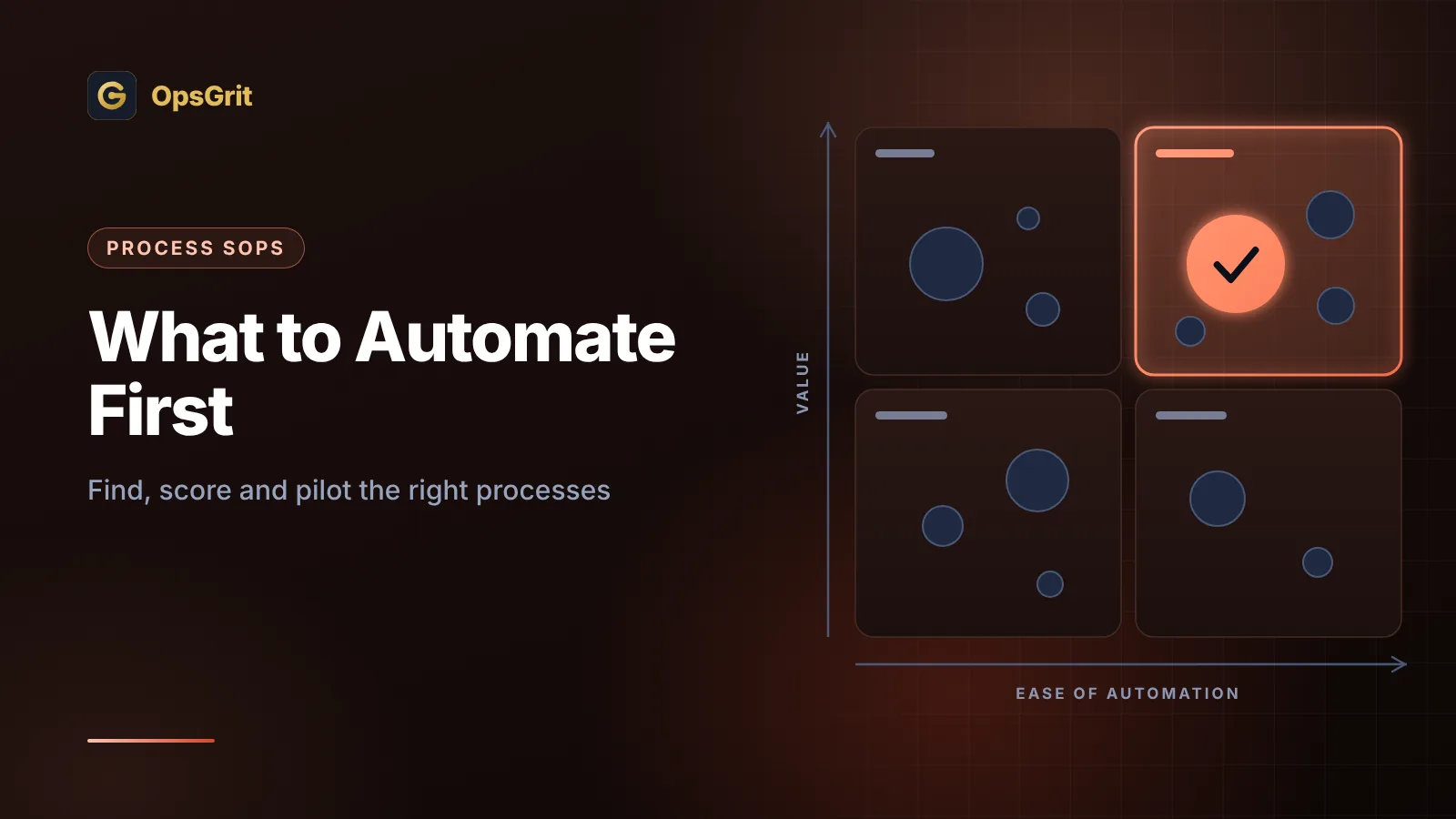
Numbers are useful, but a picture is easier to discuss. Plot each candidate on a simple two-by-two grid with value on one axis and feasibility on the other.
- High value, high feasibility: Quick wins. Do these first. They build confidence and fund the next round.
- High value, low feasibility: Strategic bets. Worth doing, but they need preparation, such as cleaning data, clarifying rules or adding approvals. Plan them as projects.
- Low value, high feasibility: Fill-ins. Fine to automate when someone has spare time, but they should never displace a quick win.
- Low value, low feasibility: Leave alone. Do not automate. Consider eliminating or simplifying the process instead.
Resist the urge to start with the glamorous strategic bet. A string of reliable quick wins teaches your team how to run automation well, which is the skill the bigger projects will need.
Step 6: Match the process to the right kind of automation
Once you have a short list, decide how each one should be automated. The answer is often simpler than people expect.
| If the process is... | Consider... |
|---|---|
| Fixed rules, structured data, predictable steps | A plain rules-based workflow in an automation platform |
| Mostly fixed, with a messy input such as an email or PDF | A workflow with an AI step to read or classify, then fixed routing |
| Needs judgment but benefits from preparation | AI-assisted drafting or summaries for a person to approve |
| Highly variable, goal-driven and low risk | Possibly an agent, with strict limits, but only after simpler options |
| Rare, sensitive or high consequence | Keep it human-led and improve the checklist and tooling |
Our guide to AI agents versus workflows explains why a workflow should be your default and when an agent earns its complexity. If a step uses AI to read untrusted content, review securing AI workflows before you launch. And if a decision carries risk, design the approval step deliberately, following human-in-the-loop design.
Also check what you already own. Many candidates can be solved with features in tools your team already pays for, such as built-in rules, templates, forms or scheduled reports. The tech stack audit approach helps you find them before you add something new.
Step 7: Estimate the return honestly
A business case does not need to be elaborate, but it should be honest. A basic version:
Hours saved per month = runs per month × minutes saved per run ÷ 60
Then subtract what automation adds back:
- Time spent handling exceptions the automation cannot process.
- Review time, if people check outputs.
- Maintenance: fixing breaks, updating when tools or rules change, answering questions.
- Platform and usage costs, and the cost of the build itself.
Three cautions keep estimates honest:
- Saved hours are not the same as saved money. If five people each save two hours a week, you have not removed a salary. You have made capacity available. Decide in advance what that capacity will be used for, such as faster response, more careful work or growth without hiring.
- Count the reduction in errors and delays. Fewer corrections, faster payments and better customer response often matter more than minutes saved, though they are harder to price. Describe them even if you cannot put a precise figure on them.
- Be wary of tiny savings multiplied by huge numbers. Saving thirty seconds on a task that runs rarely adds up to very little.
You can use the automation ROI calculator to structure these inputs. Treat the output as an estimate to check against your pilot, not a forecast to defend.
Step 8: Run a pilot with clear success criteria
Pick one quick win and treat it as an experiment. Before you build, write down:
- The baseline. The volume, effort and error numbers from step 3.
- The target. What improvement counts as success, such as "average handling time under five minutes and error rate no higher than today."
- The scope. A narrow slice, such as one region, one product line or one request type.
- The owner. A named person accountable for results and for maintenance.
- The stop rule. What results would lead you to pause or reverse the change.
Then roll out in stages. A common sequence is to run the automation in shadow mode first, where it produces results that people compare against their own work without anything being sent or changed. Next, let it act on a small share of cases with review. Finally, widen the scope as evidence accumulates. If the automation involves AI, build a test set from real cases and check accuracy before and after each change.
At the end of the pilot, compare against your baseline and write a short summary: what changed, what surprised you, what it cost to run. Share it with the people who do the work. Their feedback will improve the next project, and their trust will decide whether it is adopted.
Signs a process should not be automated yet
Sometimes the best decision is to wait. Pause if:
- Nobody owns it. Without an owner, automation has no one to maintain it or answer for it.
- The volume is tiny. A task that happens a few times a year rarely repays the build and upkeep.
- The rules change constantly. You will spend more time updating the automation than you save.
- The data is unreliable. Automating on bad inputs spreads errors faster.
- The consequences are severe and the rules are unclear. Keep humans in charge and improve the checklist.
- The process is politically contested. If teams disagree about how it should work, solve that first.
- The real problem is somewhere else. If delays come from missing decisions or unclear responsibilities, software will not fix them.
Saying "not yet" with a clear reason is a strong result. It tells people what needs to be true before the process is ready.
Keep a register of what you automate
Every automation you launch becomes something to maintain. Teams that skip this step end up with dozens of workflows nobody fully understands. A simple register fixes much of the problem. For each automation, record:
- What it does and why it exists.
- The owner and a backup.
- The systems and accounts it touches.
- The baseline and the target it was built to hit.
- The date it launched and the date it is next due for review.
- Where to find the documentation and how to pause it.
Review the register on a schedule, and retire automations that no longer earn their keep. The habits in our guide to SOP governance apply directly: named owners, review dates and version history keep documentation and automations trustworthy.
Common mistakes
Starting with the loudest complaint. Volume of complaints is not the same as volume of work or value.
Automating a broken process. Eliminate and simplify first.
Skipping the baseline. Without before-and-after numbers, success is a matter of opinion.
Scoring on enthusiasm. Agree on criteria and weights before anyone proposes a favorite.
Picking a big bet first. A reliable quick win teaches more and builds trust.
Ignoring exceptions. The standard path may be easy, while the real work sits in the odd cases.
Counting hours saved as money saved. Decide what freed capacity will be used for.
Launching without an owner or a review date. Unowned automations decay.
Forgetting the people. Explain what is changing, what is staying and how roles will evolve. Resistance often comes from uncertainty, not from the technology.
Key takeaways
- Eliminate, simplify and then automate. A fast version of a messy process is still messy.
- Build a broad candidate inventory from interviews, handoffs, request data, error logs, shadow spreadsheets and a short task log.
- Map shortlisted processes with a one-page template that captures trigger, frequency, decisions, exceptions and failure modes.
- Measure a baseline for volume, effort, quality and cycle time, using observed numbers where you can.
- Score candidates on value and feasibility with criteria and weights agreed in advance, then plot them to separate quick wins from strategic bets.
- Match each process to the simplest suitable approach, and default to workflows before agents.
- Estimate return honestly, including maintenance and exceptions, and validate it with a staged pilot against a written baseline.
- Keep a register of automations with owners and review dates so they stay trustworthy.
The teams that get lasting value from automation are not the ones that automate the most. They are the ones that choose well, measure honestly and keep what they build in good order.
Sources and further reading
Links were checked on October 12, 2026. Frameworks and tools change, so confirm on the source before you act.
- HashiCorp Well-Architected Framework: Map your current workflows. Guidance on documenting manual processes before automating them, capturing details such as owner, frequency, duration, steps, failure modes and metrics, and prioritizing candidates by impact, effort and risk.
- ASQ: Lean. Introduces lean thinking and the eight wastes (defects, overproduction, waiting, non-utilized talent, transportation, inventory, motion and extra-processing), which are useful for spotting what to remove before automating.